
Table of Contents
- What You'll Need Before You Start
- Step-by-Step: How to Clean Acrylic Prints Without Scratching
- The Best Microfiber Cloth for Acrylic Prints (and What to Avoid)
- Is Ammonia Safe for Acrylic Prints? A Chemical Compatibility Guide
- How to Remove Static From Acrylic Prints and Keep Dust Away
- Deep Cleaning vs. Routine Maintenance: When to Do Which
- Fine Scratches and Crazing: What You Can Fix and What You Can't
- Common Mistakes That Scratch Acrylic Prints
- Frequently Asked Questions
Last Updated: September 26, 2026
What You'll Need Before You Start
Learning how to clean acrylic prints without scratching starts with the right supplies. Acrylic is a soft polymer, so the wrong cloth or cleaner leaves marks that never come out. This guide walks you through a safe, repeatable method.
Gather these items first:
- Two or more microfiber cloths (clean, lint-free)
- A can of compressed air or a soft dusting brush
- Lukewarm water in a spray bottle
- A few drops of mild soap (ammonia-free, pH-neutral)
- A second dry microfiber cloth for buffing
Skip anything labeled abrasive. That includes paper towels, bathroom sprays, and glass cleaner.
Step-by-Step: How to Clean Acrylic Prints Without Scratching
The safe method takes about five minutes per print. Work gently, and never press hard. Acrylic scratches more easily than glass, so pressure is your enemy.
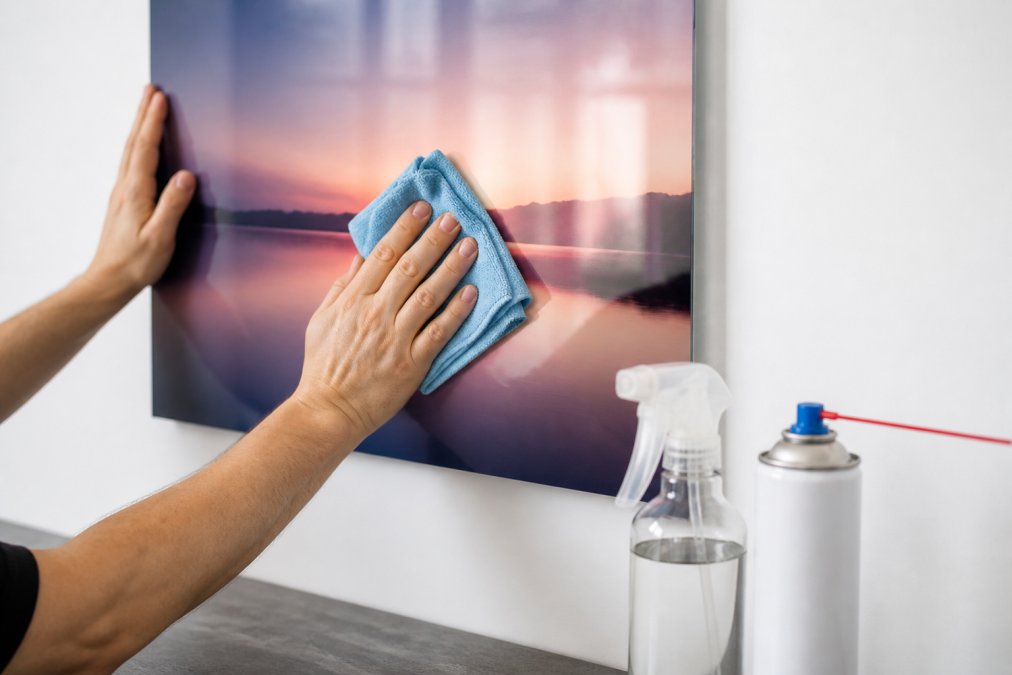
Step 1: Dust With Compressed Air or a Dry Cloth
Start by removing loose dust. Hold the can of compressed air upright and spray in short bursts across the surface. Keep the nozzle a few inches away so you don't blast propellant onto the print.
No compressed air? Use a dry microfiber cloth and light strokes. Never rub dry dust into the surface. Dust particles act like sandpaper under pressure.
Step 2: Wipe With a Damp Microfiber Cloth
Mix a few drops of mild soap into lukewarm water. Dampen your microfiber cloth, then wring it out until it's barely wet. A dripping cloth can send water behind the frame.
Wipe in straight lines, not circles.
Step 3: Dry and Buff in Straight Lines
Finish with a clean, dry microfiber cloth. Buff in straight lines using light pressure. This removes streaks and any leftover moisture before it dries into spots.
The Best Microfiber Cloth for Acrylic Prints (and What to Avoid)
The best microfiber cloth for acrylic prints is a clean, lint-free cloth with a soft, plush weave. It lifts dust without dragging grit across the surface. Cotton diaper cloth works too, but microfiber is the safer everyday choice.
What to avoid:
- Paper towels and tissues, which leave micro-abrasions
- Rough or worn cloths with embedded grit
- Sponges, which trap particles
- Any cloth that has touched furniture polish or solvents
Is Ammonia Safe for Acrylic Prints? A Chemical Compatibility Guide
No. Ammonia is not safe for acrylic prints, and the reason is more specific than "it's harsh." Acrylic, polymethyl methacrylate, or PMMA, is a thermoplastic. When ammonia, alcohol, acetone, or other aggressive solvents sit on the surface, they penetrate the polymer chains and cause them to relax and re-form under the stress locked into the sheet from manufacturing. The result is crazing: a network of hairline micro-cracks that scatter light and read as a permanent milky haze.
| Cleaner | Safe for Acrylic? | Why |
|---|---|---|
| Mild soap + lukewarm water | Yes | pH-neutral, water-based, no solvent attack |
| Ammonia-based glass cleaner | No | Triggers crazing and clouding |
| Isopropyl or ethyl alcohol | No | Solvent stress-cracking risk, especially on edges |
| Acetone / nail polish remover | No | Dissolves the polymer surface on contact |
| Vinegar (undiluted) | No | Acidic; can etch and dull over repeated use |
| Abrasive cream cleanser | No | Physically scratches and dulls the finish |
| Paper towel + water | No | Fibers act as a fine abrasive |
| Compressed air | Yes | Removes dust with zero contact |
| Distilled water + microfiber | Yes | No minerals, no residue |
A few practical notes that most guides skip:
- Edges craze first. Machined or laser-cut edges carry more internal stress than the flat face, so solvent damage often shows up as a white rim before the center clouds. If you see a hazy edge after cleaning, stop using that product immediately.
- Dilution is not a safety net. "Diluted ammonia" is still ammonia. There is no concentration at which it becomes a recommended acrylic cleaner.
- "Plastic-safe" on a label is not enough. That phrase is often written for polycarbonate or PET. Look for a cleaner explicitly labeled for acrylic or PMMA, or default to soap and water.
- Test on a hidden corner. The bottom edge or a covered margin is the right place to spot-test any new product. Wait a full minute, crazing can take a moment to appear.
How to Remove Static From Acrylic Prints and Keep Dust Away
Acrylic builds up static electricity, which pulls dust straight to the surface. That's why your print looks dusty again a day after you clean it.
To cut the static:
- Wipe with a barely damp cloth, since moisture reduces surface tension
- Use an anti-static microfiber cloth made for plastics
- Keep humidity in the room moderate
- Avoid dry rubbing, which adds charge
Deep Cleaning vs. Routine Maintenance: When to Do Which
Routine maintenance keeps acrylic clear. Deep cleaning handles the rare mess, like fingerprints or a spill. Most prints only need routine care.
| Task | Frequency | Method |
|---|---|---|
| Dusting | Weekly | Compressed air or dry cloth |
| Damp wipe | Monthly | Mild soap + lukewarm water |
| Deep clean | As needed | Damp wipe, then buff dry |
Fine Scratches and Crazing: What You Can Fix and What You Can't
Not every mark on an acrylic print is the same kind of damage, and treating them the same is how people turn a minor scuff into a ruined print. Before you touch anything, identify what you're looking at.
| Damage type | What it looks like | Fixable at home? |
|---|---|---|
| Surface scuff | Faint, visible only at an angle | Sometimes, plastic polish |
| Deep scratch | Nail catches; visible head-on | No, polymer is removed |
| Crazing | Web of fine cracks, milky haze | No, internal damage |
| Solvent clouding | Uniform dull patch after cleaning | No, chemical damage |
| Stress crack | Sharp line from an edge or hole | No, structural |
- Polishing a crazed area, removes material without touching the cause
- Using metal polish or abrasive toothpaste, too coarse for PMMA, leaves swirl marks
- Buffing in circles, creates a visible halo under directional light
- Applying heat (hair dryer, hot water) to "relax" a scratch, can warp the sheet
- Repeated polishing of the same spot, thins the sheet and distorts the image behind it
Common Mistakes That Scratch Acrylic Prints
Most scratches come from a handful of habits. Fix these and your prints stay clear for years.
- Using paper towels instead of microfiber
- Spraying cleaner directly on the print instead of the cloth
- Wiping in circles instead of straight lines
- Pressing hard to remove stuck debris
- Using glass cleaner with ammonia or alcohol
- Cleaning in direct sun, which dries moisture into streaks
- Letting water sit behind the frame
Frequently Asked Questions
Can I use Windex or ammonia-based cleaners on acrylic prints?
No. Ammonia and alcohol-based cleaners can attack the polymer surface and cause crazing, which is a network of fine cracks that permanently clouds optical clarity. Industry guidance favors water-based, pH-neutral detergents for dissolving oils and grime without altering surface chemistry. Stick to lukewarm water with a drop of mild soap, or a cleaner explicitly labeled ammonia-free and safe for acrylic. If a product's label does not say it is safe for acrylic or plexiglass, do not use it on your print.
What is the best cloth to use for cleaning acrylic prints?
A clean, lint-free microfiber cloth is the safest choice, with 100% cotton as a backup. Both lift dust and oils without leaving residue or dragging grit across the surface. Industry experts warn against paper towels and other paper products because the fibers create micro-abrasions that dull the finish over time. Use one cloth for dusting and a separate damp cloth for wiping, and wash them without fabric softener, which leaves a film that smears on acrylic.
How do I remove dust from acrylic prints without causing micro-scratches?
Start with compressed air or a dry, clean microfiber cloth used with very light pressure. Dust holds abrasive particles, so wiping a dry, dusty surface with firm pressure is the fastest way to scratch it. If dust has bonded to the surface, dampen your cloth with lukewarm water first so the particles lift instead of dragging. Never press hard on one spot, and work in straight back-and-forth lines rather than circles to reduce the risk of visible scratch patterns.
How often should I clean my acrylic prints, and can scratches be repaired?
Routine dusting every two to four weeks keeps most prints looking sharp, with a damp wipe only when you see smudges or fingerprints. Over-cleaning adds unnecessary wear. For damage, shallow fine scratches can sometimes be reduced with a specialized plastic polish such as Novus #2, applied with a soft cloth and light buffing. Deep scratches and crazing cannot be polished out because they penetrate the surface layer, so prevention and careful handling matter far more than repair.
Cleaning acrylic prints without scratching comes down to three things: the right cloth, a mild solution, and a light touch. Mind-Meld Gallery offers acrylic prints, fine art prints, canvas, metal prints, and print framing, all backed by a money-back guarantee. Every piece is made to hold its clarity, and our team is here to help you care for it. Get started with Mind-Meld Gallery and bring home art that stays sharp for years.